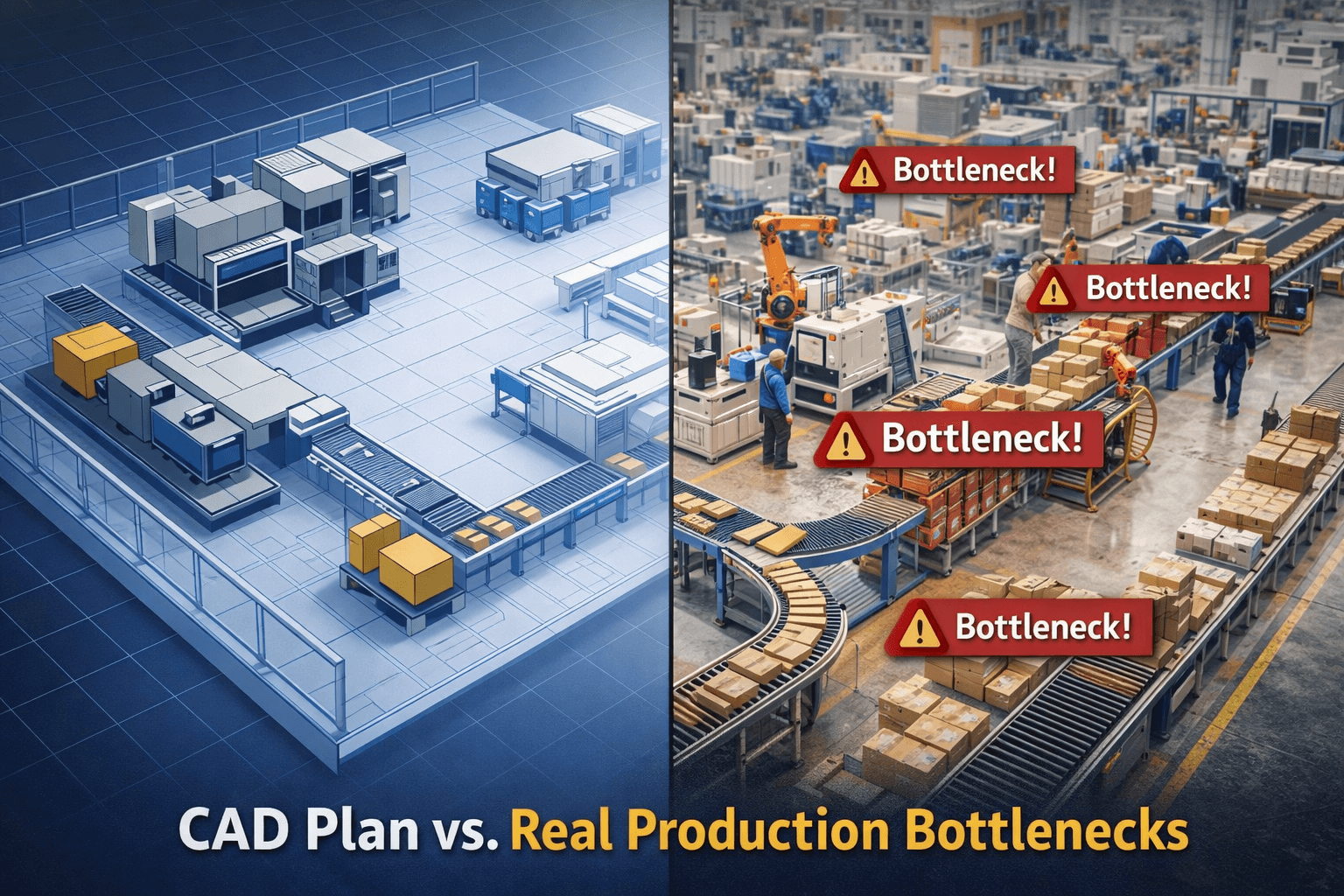




Every factory starts with a layout that looks flawless on screen.
Machines are aligned. Aisles are clean. Space utilization is optimized. Everything feels efficient and well planned.
On paper and in CAD the factory looks ready.
But once production begins, reality tells a different story.
Operators start waiting between processes. Work-in-progress begins piling up near certain machines. Forklifts struggle to navigate shared aisles. Production targets that looked achievable in planning suddenly feel difficult on the shop floor.
What changed?
Nothing in the layout itself.
What changed was the behavior of the factory once time, variability, and real operations entered the system.
This is the gap most organizations underestimate:
CAD validates geometry. It does not validate performance.
What CAD Shows Clearly and What It Can’t
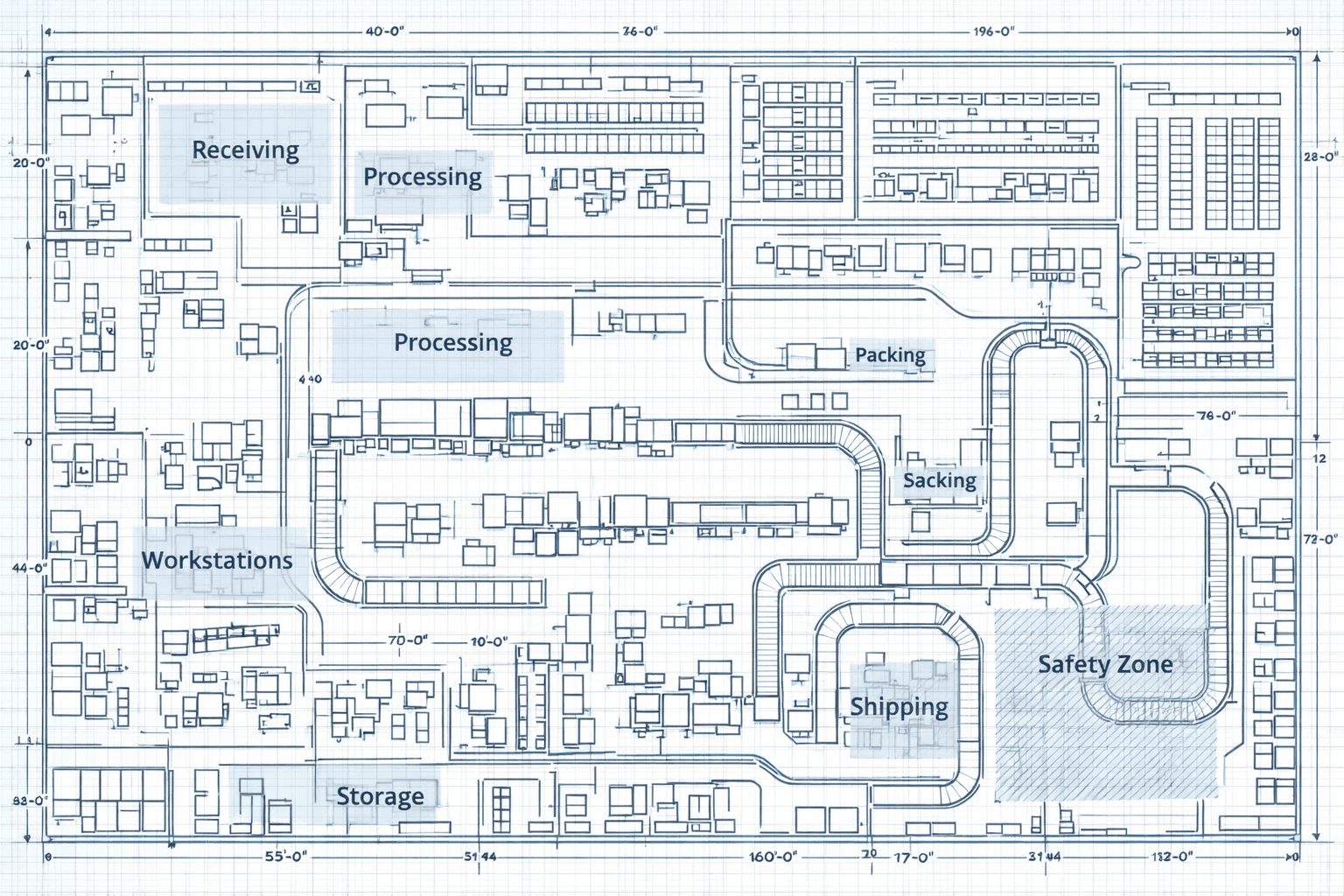
CAD tools are essential in factory planning. They help teams visualize machine placement, utility routing, safety clearances, and space utilization with high precision. Without CAD, modern factory design would be impossible.
But CAD layouts are inherently static.
They represent how a factory looks not how it behaves.
A drawing can confirm that machines fit within a space and that aisles meet safety standards. It can ensure utilities reach the right locations and material movement paths appear logical. From a physical planning perspective, this is extremely valuable.
However, production systems are not static. They operate over time. They involve people, variability, and interactions between multiple resources. Once production starts, machines do not operate in isolation. They interact through flow, timing, and dependency.
A layout that appears balanced geometrically may be unbalanced operationally.
A line that looks efficient spatially may perform inefficiently over time.
This is why many layouts that seem perfect in CAD struggle in reality.
Why “Perfect” Layouts Struggle in Real Operations
The moment a factory begins running, three elements enter the system: time, variability, and interaction. These elements fundamentally change how a layout performs.
Time is the first factor.
In a real factory, machines have cycle times, changeovers occur, maintenance interrupts flow, and breakdowns happen unexpectedly. Even small variations in processing time can create ripple effects across the line. A machine running slightly slower than planned can cause upstream queues and downstream starvation.
CAD layouts have no concept of time.
They cannot show how production behaves across minutes, hours, or shifts. As a result, they cannot predict throughput or bottlenecks.
Variability is the second factor.
Real-world production is never perfectly consistent. Operator speeds differ. Material deliveries can be delayed. Quality checks may require rework. Absenteeism and shift changes influence productivity. These variations exist in every factory, regardless of industry.
Yet CAD assumes perfect consistency.
It assumes machines and people perform exactly as planned, every cycle, every shift. This assumption rarely holds true once production begins.
The third and most complex factor is interaction.
Once machines, operators, and material handling systems begin interacting, flow dynamics emerge. Queues start forming before bottlenecks. Blocking occurs when downstream buffers fill up. Starvation happens when upstream supply slows down. Forklifts and operators compete for shared aisle space.
These interactions define actual factory performance.
But none of them are visible in a static drawing.
The Hidden Losses That Appear on the Shop Floor
Because these operational dynamics are invisible during layout planning, problems are often discovered only after production begins.
What appears on the shop floor are not always major failures but gradual inefficiencies. Operators spend time waiting for material or machine availability. Work-in-progress accumulates between processes. Machines remain technically available but unable to operate due to upstream or downstream constraints. Material movement paths become longer than expected. Output targets start slipping.
These are classic operational losses. Lean manufacturing defines them as waste waiting, excess transportation, underutilization, and excess work-in-progress. Individually, they may seem minor. Collectively, they significantly reduce factory efficiency and return on investment.
The challenge is not just that these losses occur.
The challenge is that they are not visible during layout approval.
Why Companies Discover Layout Problems Too Late
Most organizations identify layout issues only after installation and commissioning. By that stage, the factory is already built, machines are installed, and utilities are fixed. Production has either begun or is about to begin.
At this point, making changes becomes difficult and expensive.
Relocating heavy equipment disrupts operations. Modifying aisles or utility lines requires additional cost and downtime. Even small layout adjustments can impact safety approvals and production schedules.
As a result, many companies choose to live with inefficiencies rather than fix them. Over time, these inefficiencies reduce productivity and increase operational costs.
The core issue is not poor planning.
It is late discovery.
When performance issues are discovered after CapEx is committed, the cost of correction becomes far higher than the cost of prevention.
How Simulation Changes the Approach
This is where factory simulation plays a critical role.
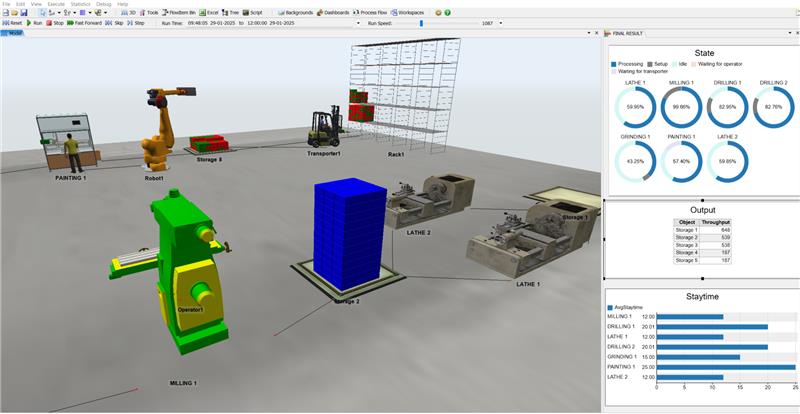
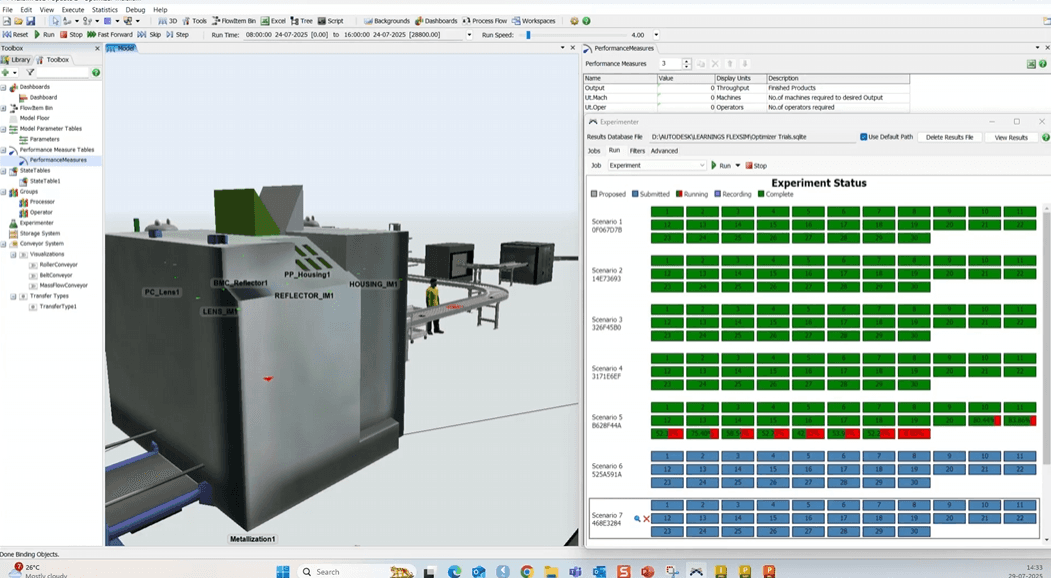
Simulation transforms a static layout into a dynamic model of factory behavior. Instead of showing only machine positions, it models how machines, operators, and materials interact over time. It introduces variability, cycle times, shift patterns, and operational rules into the layout.
Suddenly, the layout is no longer just a drawing.
It becomes a living system that can be tested and evaluated.
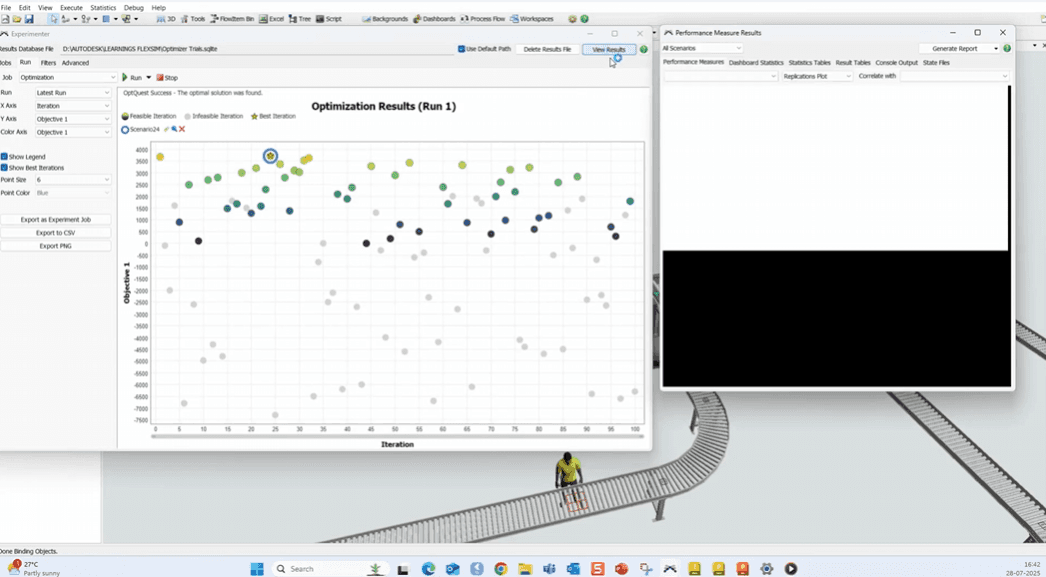
With simulation, planners can see how production actually flows through the factory. They can identify where bottlenecks will form, how queues will build, and how resources will interact. They can test different scenarios higher demand, additional shifts, new product mixes without disrupting real operations.
Most importantly, they can validate whether the layout will achieve target throughput before installation begins.
From Visualization to Decision-Making
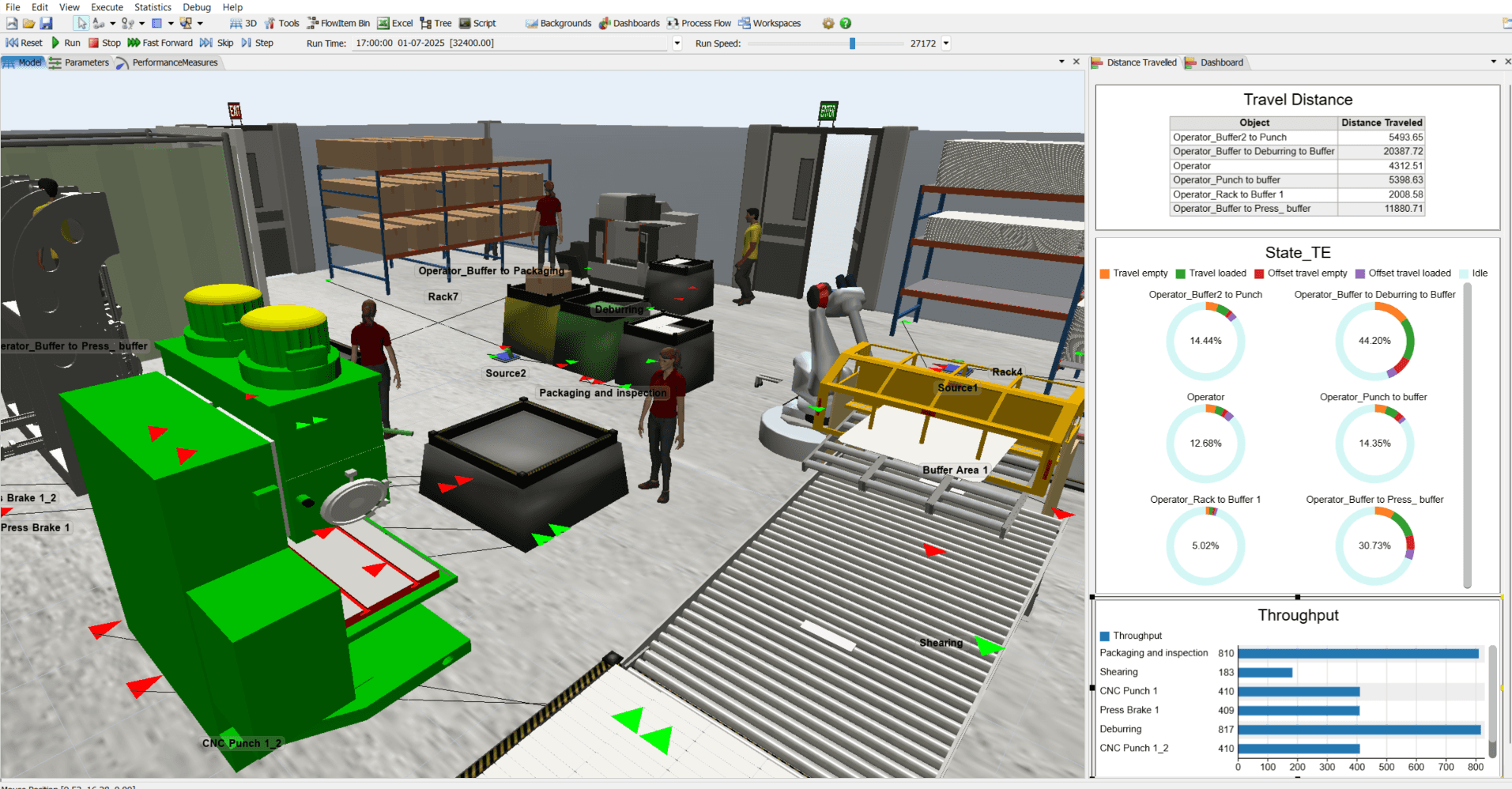
Many organizations initially view simulation as an advanced visualization tool. In reality, it is a decision-making tool.
It helps answer questions that CAD alone cannot address. Will the line achieve planned output? Where will delays occur? Is additional manpower required, or can layout adjustments solve the problem? How will the system respond to demand fluctuations?
By answering these questions early, simulation enables better planning decisions. It reduces uncertainty and allows teams to optimize layouts before committing to construction and installation.
The result is not just a better layout, but a more reliable production system.
The Outcome: Smarter Layouts, Lower Risk, Better Performance
When simulation is integrated into layout planning, the outcome is clear. Layouts are validated not only for space and safety but also for performance. Bottlenecks are identified before installation. Resource utilization improves. Work-in-progress levels are optimized. Throughput targets become more realistic and achievable.
Most importantly, costly post-installation changes are avoided.
A layout that performs well in simulation is far more likely to perform well in reality.
And a factory that begins with validated performance reaches stability faster and operates more efficiently from day one.
Before You Freeze Your Layout
A CAD layout is the foundation of factory design, but it should not be the final validation step. Before freezing a layout and committing significant capital investment, it is critical to understand how that layout will behave in real operations.
Because once machines are installed and production begins, changes become expensive.
The question every factory planner should ask is simple:
Will this layout work in reality or only on screen?
If that answer is uncertain, simulation provides clarity.
Before freezing your layout, do you simulate it?